One of the unique features of the Draft Dominator is that it can run several types of drafts, including salary cap, dynasty, rookie-only, IDP, and more. What's convenient is that you can change these settings easily with just a few clicks. Below is your guide to setting up a salary cap draft.
Getting Started
First, make sure you are signed into your Footballguys account. If you do not have a Footballguys account, you can create one here. Once you are logged in, head over to the Draft Dominator.
Salary Cap Settings
Once you're logged in, create a new draft. When you sync your league, the Draft Dominator will automatically scan your league settings to determine its type and adjust its own settings accordingly. To double-check that the salary cap option is turned on, click the settings button and confirm that the Salary Cap slider is selected.
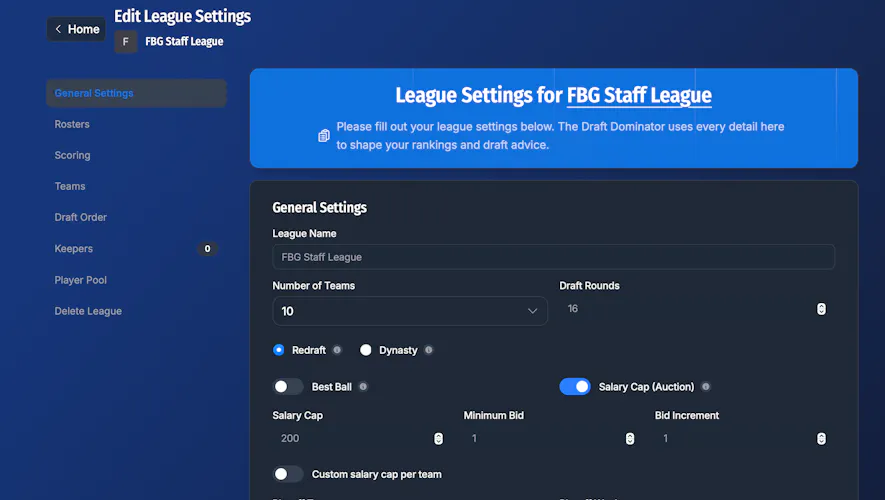
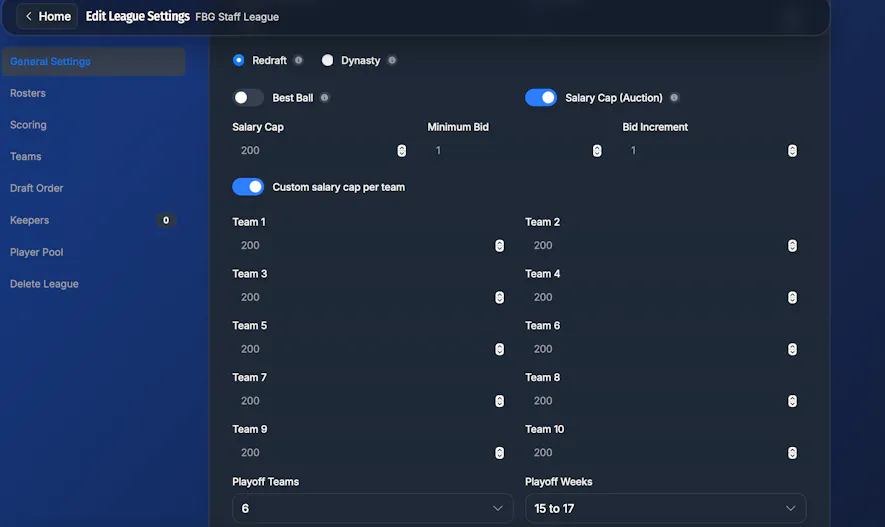
You can also adjust the total salary cap for all teams, minimum bid amount, and bid increments. If your league has custom salary caps per team, select the slider "Custom salary cap per team" in the settings. From there, you can adjust each team's salary cap.
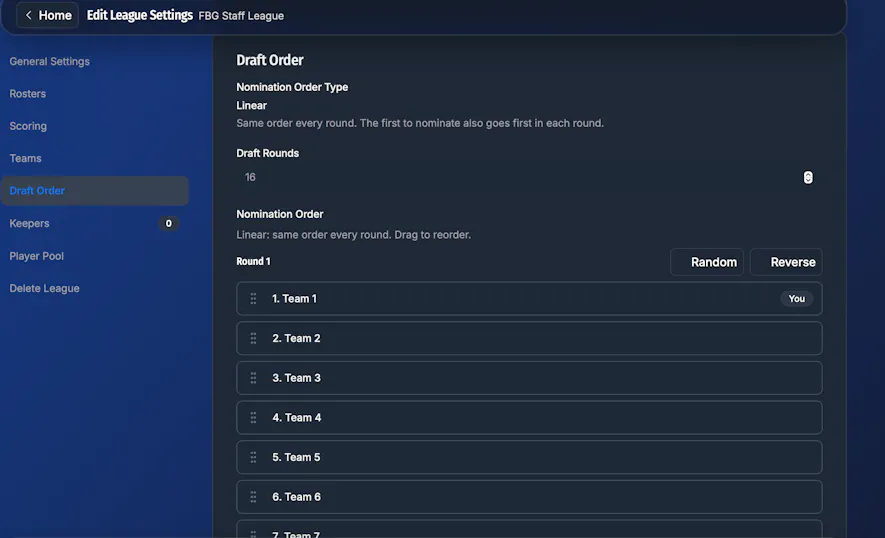
If you would like to adjust the nomination order, go to the "Draft Order" tab. From here, you can manually adjust the nomination order or have the Draft Dominator select it at random.
Mock Draft Nomination Process
Nominating a player in a salary cap league on the Draft Dominator is similar to selecting a player to draft in a redraft league. When it is your turn to nominate a player, you can select the player from the "Auction" tab, and the bidding process will immediately start. You can also nominate a player from the "Cheatsheets" tab by clicking the blue pick button next to the player's name.
When a player is nominated, you'll start to see other teams begin to bid on the player. From here, you can either choose to bid or click the "I'm Out" button if you are not interested in bidding on that player.
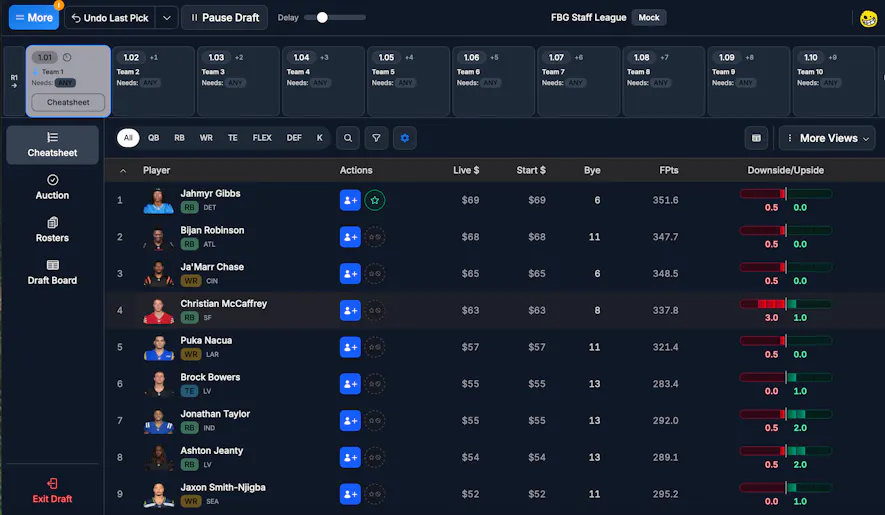
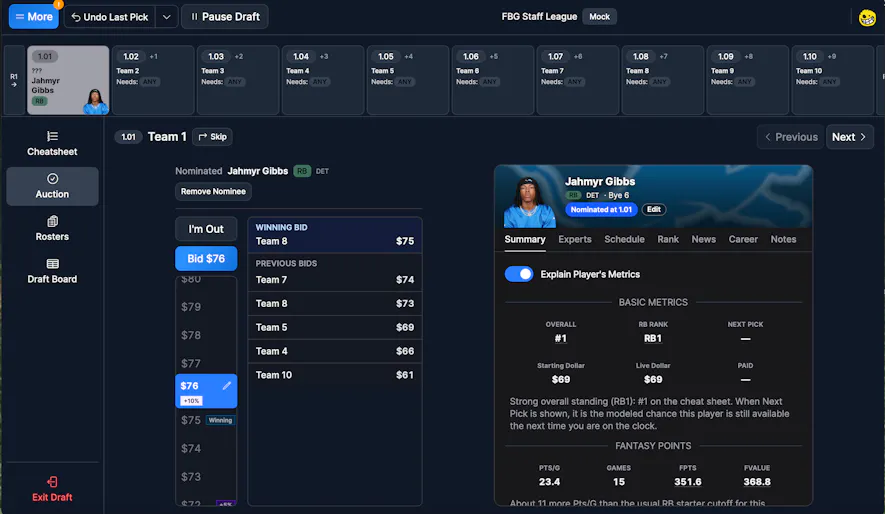
Whoever is the highest bidder will receive that player on their team, and the Draft Dominator will automatically start the nomination process for the next team.
Real Draft Nomination Process
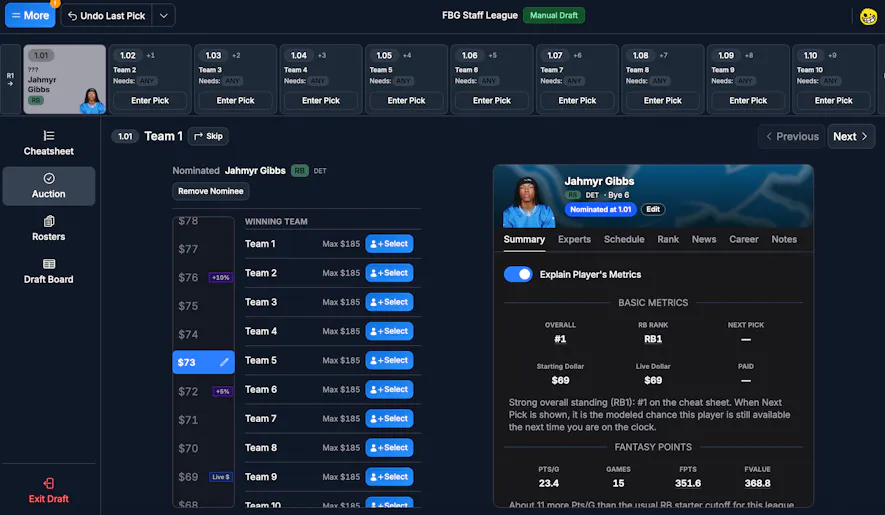
The nomination process in a real draft is virtually the same as it is for a mock draft, except you will need to enter the amount the player went for. When a player is nominated in your draft, nominate them in the Draft Dominator. Once the bidding is done on that player, select the bid amount they went for and select the corresponding winning team. Continue this process for the rest of the draft.
Auction Strategy
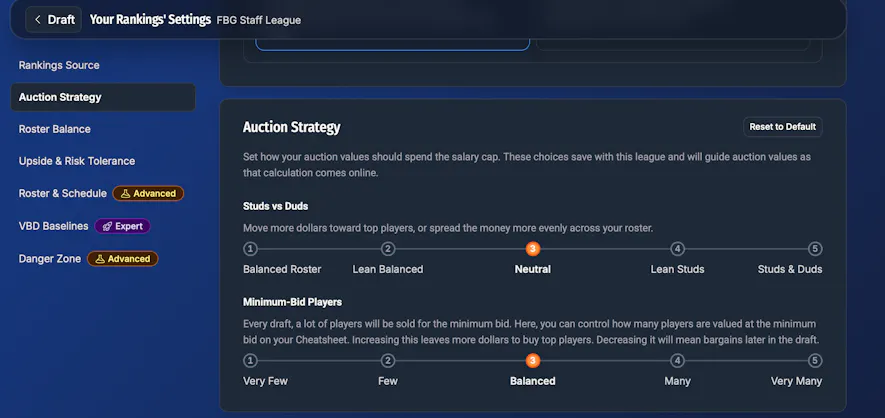
The Draft Dominator lets you edit your drafting strategy. In the draft, click on "More" -> "Draft Strategy" -> "Your Rankings Settings". Select Auction Strategy to adjust your auction values, minimum bid for players, and more.