
When a league is synced with the Draft Dominator, your league's draft settings and scoring will automatically populate into the Draft Dominator settings for that specific league. But there are times when we want to change those settings. This guide will walk you through the basic settings on the Draft Dominator.
Getting Started
First, make sure you are signed into your Footballguys account. If you do not have a Footballguys account, you can create one here. Once you are logged in, head over to the Draft Dominator.
Accessing Your League Settings
To access your league settings, go to the Draft Dominator Home page and click the "Settings" button on the league you want to access. After selecting settings, you'll be taken to your league's general settings:
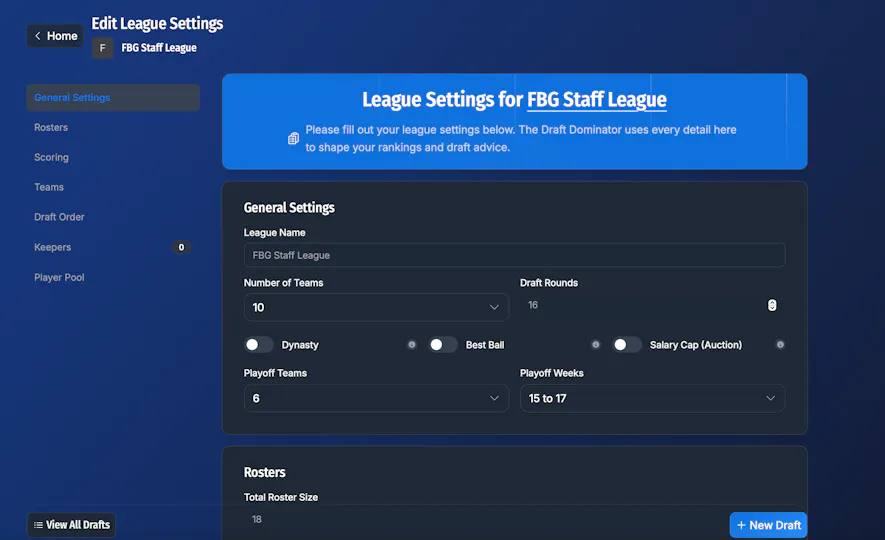
From here, you'll be able to make edits to your league such as: Draft Order, Scoring, Keepers, and more.
How to Save Settings?
The Draft Dominator automatically saves any changes you make to your league settings. When you make a change, wait a few seconds, and you will see a green saved button flash on your screen to let you know your changes have been saved.
