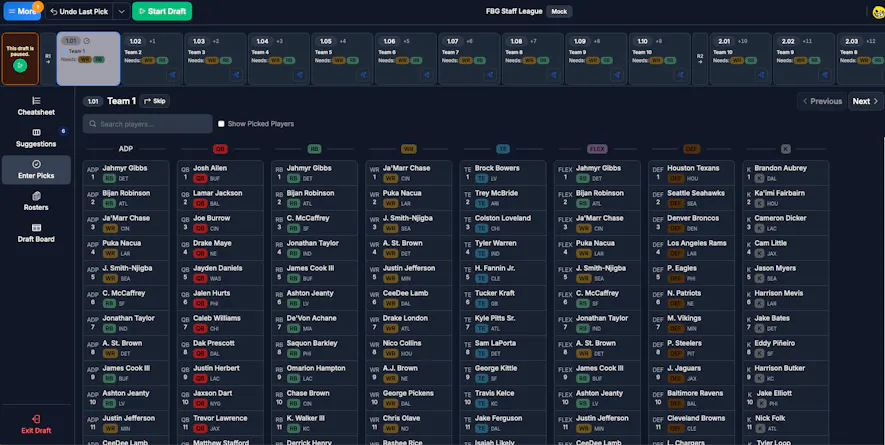
The Draft Dominator offers many different ways to enter picks as your draft goes along. If you are a PRO, ELITE, or All Access subscriber, our new Live Draft Sync is available to you, so you no longer have to manually enter picks as your draft unfolds. The Draft Dominator syncs with your draft and will enter the picks for you; however, if you choose to manually enter picks or are practicing in a mock draft, follow these steps.
Getting Started
First, make sure you are signed into your Footballguys account. If you do not have a Footballguys account, you can create one here. Once you are logged in, head over to the Draft Dominator.
Cheatsheets
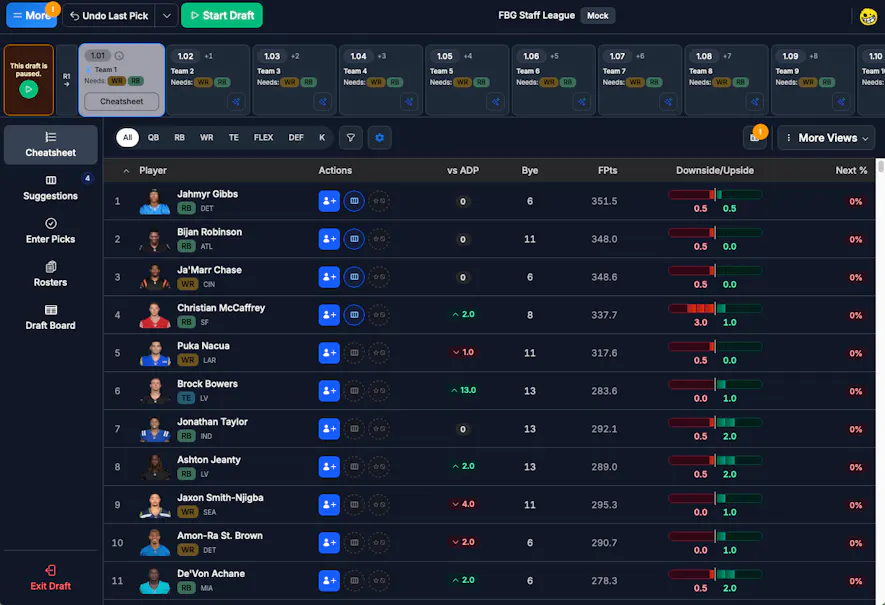
When you start a draft, you will automatically see the Cheatsheet tab within the Draft Dominator. To enter picks from this page, click on the blue button with the avatar and "+" sign next to the player who has been drafted.
Player Profile
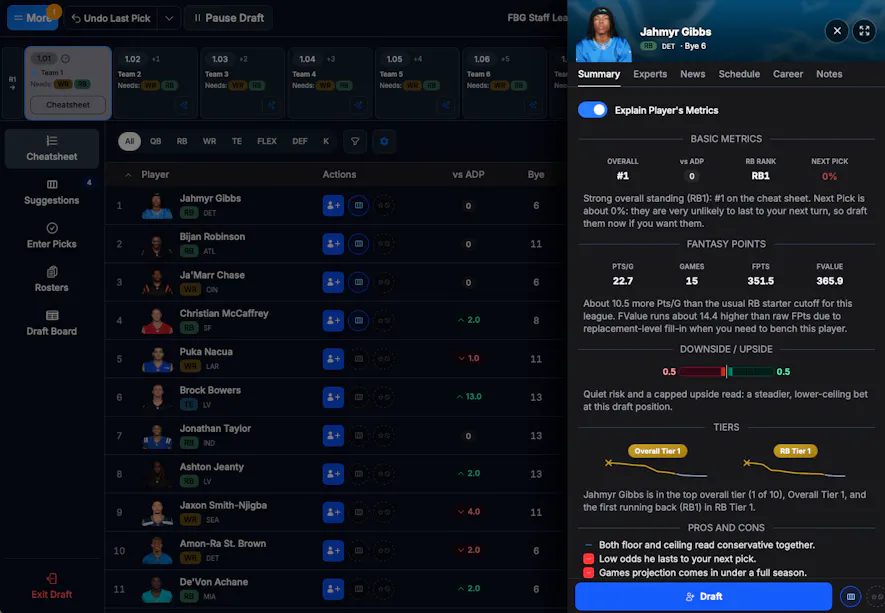
You can also enter picks through each player's individual profile. To see a player's profile, click on their name. From there, you'll see trends, news, and analysis regarding that player. From here, you can also select the blue "Draft" button.
Suggestions
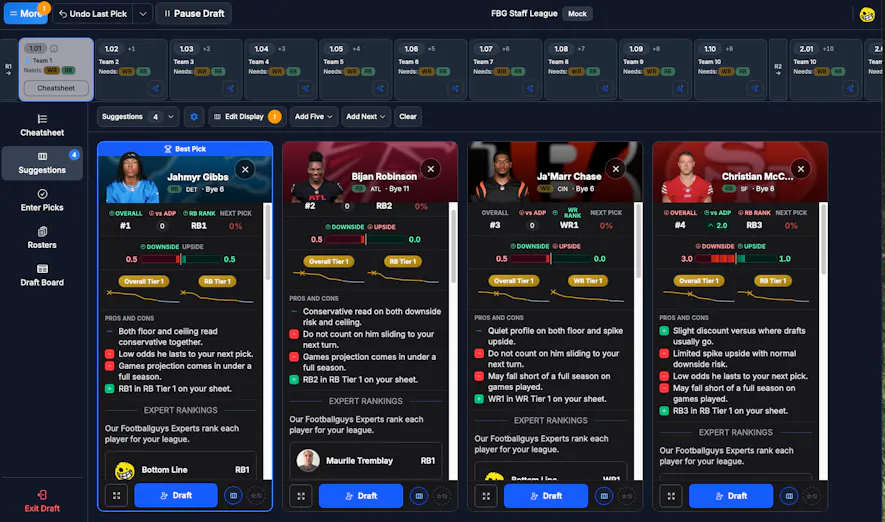
Our new Suggestions feature also allows you to draft players. In the Draft Dominator, select "Suggestions", and you'll be taken to our Suggestions feature. This new feature is a curated list of players we suggest you pick based on your roster construction, best available players, and more. Under each player, there is an option to draft them.
Enter Picks
If you prefer a listed view of players, our new Enter Picks feature is excellent. From here, you'll see an option to search for specific players, as well as players ranked by ADP and by position. To draft a player, select the name of the player you'd like to draft and select the Draft button.